
Report tab
Define the report settings of the data acquisition process.
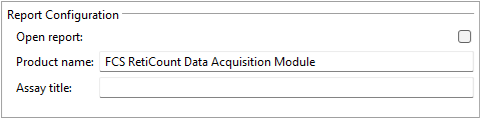
Report configuration
| Setting | Description |
|---|---|
|
Open report |
Opens the report after creation by default. You can overrule this setting using the Open report option of the Data acquisition configuration dialog. |
|
Product name |
The name of the product you want to show in the report. |
|
Assay title |
The title of the assay you want to show in the report. |