
Select the source file
To start the acquisition of data, you have to select the source file provided by the external system. Usually, this file contains the data values you want to import. It can also provide additional information such as details on the generation of the values, meta data, or the import logic.
Before you begin
Procedure
To select the source file:
- Under Settings, select … next to Source file.
-
Navigate to the folder where you have saved the source file, select it, and
select Open.
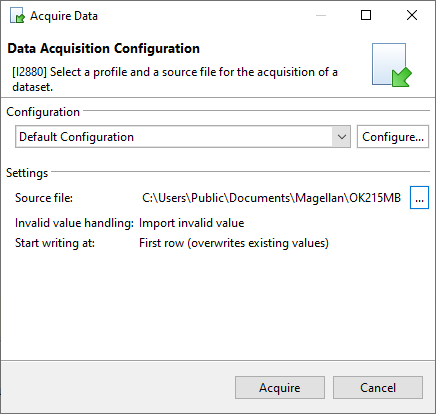
Figure 2. Selection of source file for data acquisition - Select Acquire.